
Do you sell online but your inventory never adds up? You are making one of these 3 mistakes.
WooCommerce inventory mismatches? Avoid these 3 errors: reliance on manual updates, non-integrated systems, and poor management of returns and shrinkage. The key is to automate and integrate your tools for precise stock control.
 Patricia Fernández·
16 sep 2025·
5 min
Patricia Fernández·
16 sep 2025·
5 min
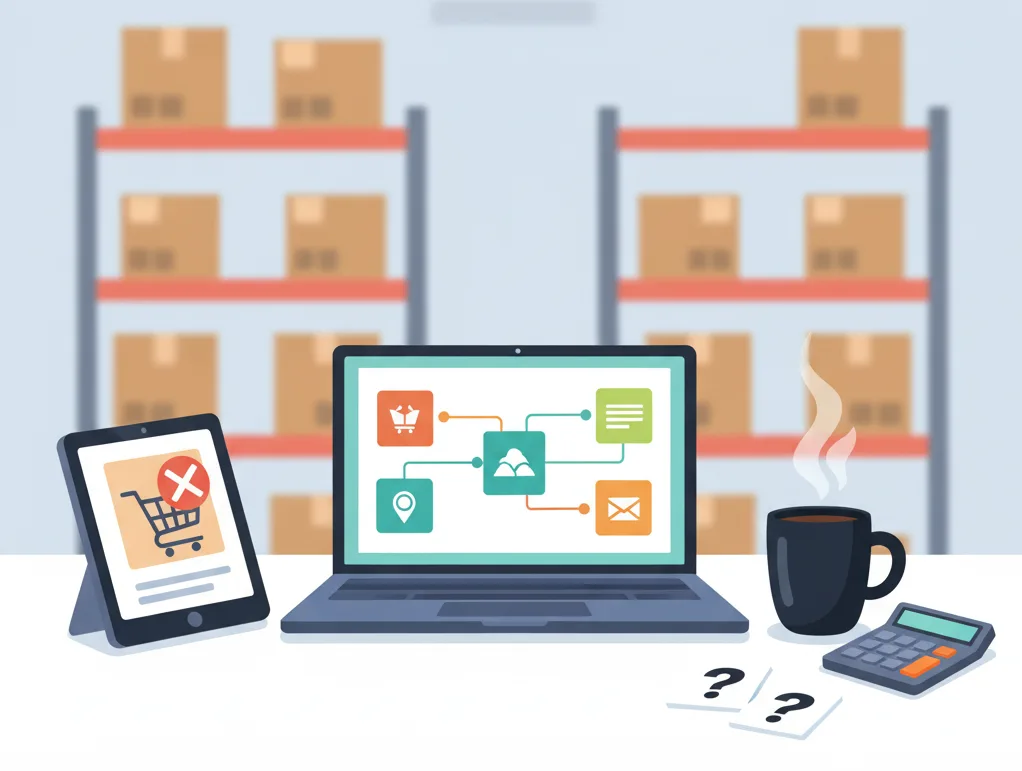
If your WooCommerce sales don't match your actual stock, it's time to take action. Discover the three most common errors that create these discrepancies and learn how you can build a reliable, fail-proof inventory system to scale your business.
Introduction
Imagine the scene: you receive a sale notification in your WooCommerce store. It's excellent news that should fill you with satisfaction. However, a sense of unease creeps in. You go to the warehouse or check your records and confirm your worst fear: the product you just sold was no longer in stock.
Now you have to contact the customer, apologize, process a refund, and what's worse, you've damaged the trust that was so hard to build. If this scenario sounds familiar, you're not alone. For many SMEs venturing into e-commerce, keeping inventory synchronized is one of the biggest operational challenges.
The problem is rarely a lack of effort. It's the result of outdated processes that can't keep up with the digital pace. The good news is that most of these inventory discrepancies come from three fundamental mistakes that, once identified, can be corrected. In this article, we'll explain these mistakes and show you how to move from chaos to precise, automated stock control.
Error 1: Excessive dependence on manual updating
The most common and fundamental error is still relying on Excel spreadsheets or manual notes to record stock. Although these tools can be useful to start with, they quickly become the bottleneck of your operation as you grow.
The problem: Every sale, every return, and every receipt of merchandise requires a person to manually update the record. This process is slow, prone to human error (a simple typo can throw everything off), and completely inefficient in an e-commerce environment where sales can occur at any time of day.
Practical example:
A member of your team makes an in-person sale at your store in the morning and forgets to update the shared Excel file. In the afternoon, a customer buys that same unit through your online store. The WooCommerce system, unaware of the in-person sale, processes the order without a problem. The result: an oversell, an unsatisfied customer, and a logistical problem to solve.
Best practice:
The goal should be to minimize human intervention in stock updating. Automation is not a luxury; it is a necessity for scaling. Implementing a system that automatically deducts inventory with each confirmed order on your e-commerce platform is the first step to ensuring accuracy.
Error 2: Your systems do not communicate with each other (the famous "information silos")
You can have the best billing and administration software like Bind ERP and a powerful online store like WooCommerce, but if they don't communicate with each other, you are operating in "silos." This means that your online store's inventory and your management system's (ERP) inventory live in separate universes.
The problem: You have two (or more) sources of "truth" that constantly contradict each other. Your ERP may have the correct record after a purchase from a supplier, but your online store won't be updated until someone exports the data from one system and imports it into the other. By the time you do, the information is likely already outdated again.
Practical example:
Your Bind ERP reflects that you have 15 units of a star product after receiving an order from your supplier. However, your WooCommerce store continues to show "Sold Out" because no one has manually updated the stock on the platform. The result? You are losing valuable sales because your potential customers believe you do not have the product available.
Best practice:
Integration is the key to breaking down silos. You need a bridge that connects your systems so they speak the same language in real time.
- Automatic synchronization: When an order is created in WooCommerce, the stock should be automatically reduced in Bind ERP.
- Centralized updating: If you update the price or quantity of a product in Bind ERP, that change should be reflected instantly in your WooCommerce store.
Integration tools like ERPXtender are designed precisely to solve this problem, creating a bidirectional connection between Bind ERP and WooCommerce that ensures your inventory is unified and accurate at all times.
Error 3: Ignoring returns, shrinkage, and real-time adjustments
Inventory doesn't just move with sales. There is a constant flow of products that return to your shelves from returns or disappear due to damage, expiration, or petty theft (what is known as "shrinkage"). If you don't have a clear and agile process to record these movements, your physical inventory count will never match the digital one.
The problem: A return is processed, and the product physically returns to the warehouse, but no one re-enters it into the system. Or, a product is damaged and discarded, but it is not deducted from the digital inventory. These small discrepancies accumulate over time, creating a snowball that results in a massive discrepancy.
Practical example:
A customer returns a pair of shoes in perfect condition. The customer service team processes the refund but forgets to notify the warehouse manager to re-add that unit to the inventory available for online sale. That pair of shoes is left in limbo: physically available, but invisible to your online customers.
Best practice:
Implement a strict and technologically-assisted protocol for all inventory movements that are not sales.
Clear return process: When a product is returned and confirmed to be in a condition to be sold again, the process must include its immediate re-addition to the system's stock.
Shrinkage management: Use a tool that allows you to easily record inventory adjustments for damaged or lost products. Having a mobile app for inventory management, for example, allows your team to make these adjustments directly from the warehouse, at the moment they occur, ensuring that the information is always accurate.
Conclusion
No longer having an inventory that "adds up" is not just an accounting goal; it is a strategic decision that directly impacts your customer satisfaction, your operational efficiency, and your profitability.
The errors of manual dependency, isolated systems, and poor management of adjustments are incredibly common, but also solvable. By adopting automation and integration, you transform your inventory management from a source of reactive stress to a proactive pillar of your business.
The first step is to analyze your current processes and identify which of these three errors is affecting you the most. The next is to explore the technological tools designed for SMEs that can help you build a robust, centralized, and error-proof inventory system. Precise control of your stock will not only prevent headaches but will also give you the confidence to grow and sell more.